Xero Setup Singapore: What A Proper Setup Should Include
A proper Xero setup in Singapore should do more than let you send invoices and connect a bank feed.
It should help your team record transactions consistently, support reliable GST treatment where applicable, and give the owner reports that are easier to understand and use.
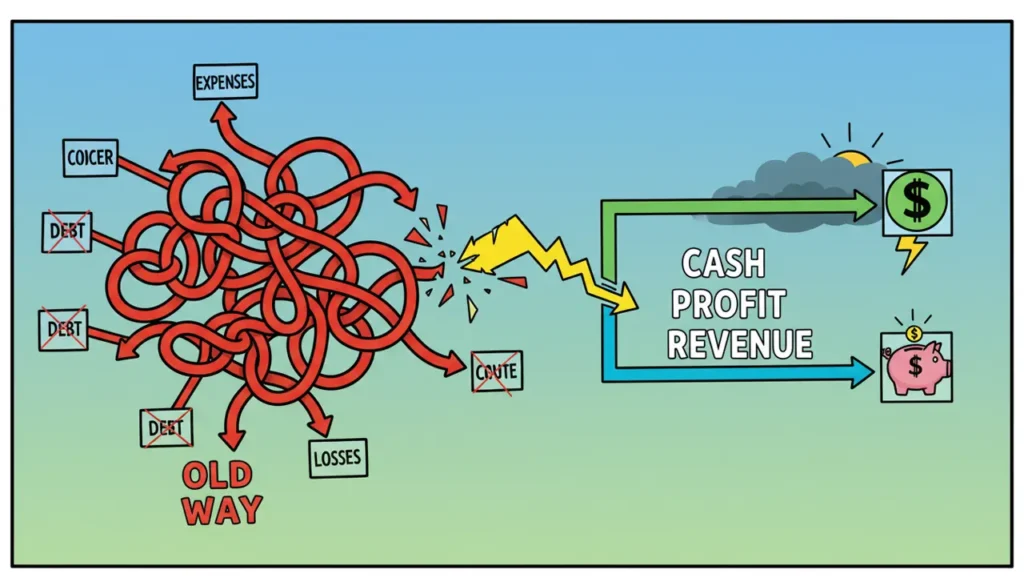
Many setup problems do not appear on the first day. They appear later as duplicate accounts, inconsistent coding, unreliable margins, GST corrections and a month-end rush to work out what happened.
What A Proper Xero Setup Should Achieve
A useful Xero setup should support three outcomes:
- Reliable financial records.
- Consistent workflows for the team.
- Clearer monthly decisions for the owner.
The software cannot create these outcomes automatically. They depend on how the organisation settings, accounts, users, bank feeds, transaction rules and workflows are configured.
The Seven Core Xero Setup Areas
1. Business And Organisation Settings
Start with the basic settings because every report and workflow depends on them.
- Legal entity and business details.
- Financial year-end.
- Base currency.
- GST registration details where applicable.
- Invoice and payment settings.
- User roles and permissions.
- Document-capture process.
User access should reflect what each person genuinely needs to do. Giving every user full access may be convenient, but it weakens control and makes mistakes harder to trace.
2. A Chart Of Accounts That Matches The Business
The chart of accounts determines how transactions appear in financial reports.
A standard template may provide a starting point, but it should be reviewed against the way your business earns and spends money.
A useful chart may distinguish:
- Important revenue streams.
- Direct delivery costs.
- Major operating expenses.
- Assets and liabilities relevant to the business.
- Amounts due from or to directors and related parties.
The aim is not to create more accounts. It is to create enough useful distinction for management without making coding difficult for the team.
3. GST Configuration And Transaction Testing
For a GST-registered business, the setup should reflect the transactions the company handles regularly.
This may include:
- Standard-rated local sales and purchases.
- Zero-rated transactions where applicable.
- Imports and overseas services.
- Deposits and advance payments.
- Credit notes and refunds.
- Partially claimable expenses.
Default tax settings can improve consistency, but they should not replace judgement. Common transactions should be tested before the team relies on the configuration.
4. Bank Feeds, Reconciliation And Bank Rules
Bank feeds bring transaction information into Xero, but the records still need to be reviewed and reconciled correctly.
A suitable setup may include:
- Relevant bank and payment accounts.
- A clear reconciliation starting point.
- Rules for genuinely recurring transactions.
- Consistent descriptions and payee names.
- A process for handling exceptions.
- Regular review of unreconciled transactions.
Bank rules can save time, but broad or poorly tested rules may repeat the same coding error across many transactions.
The team should understand when a rule is suitable and when a transaction requires closer review.
5. Invoicing, Bills And Day-To-Day Workflows
Xero should reflect how work moves through the business.
Review areas such as:
- Who raises and approves customer invoices.
- Who enters and approves supplier bills.
- Payment terms and invoice reminders.
- Document attachment responsibilities.
- Credit-note and refund procedures.
- How overdue receivables are followed up.
A workflow is useful only when the team understands it and can follow it consistently.
Adding more approval stages does not automatically improve control. It may simply create delays if responsibilities are unclear.
6. Tracking Categories And Management Detail
Tracking can help compare outlets, departments, projects or business lines.
However, inconsistent tracking creates incomplete reports and misleading conclusions.
Before adding tracking, decide:
- Which management question it will answer.
- Who will apply the tracking.
- At which stage it must be added.
- How mistakes will be reviewed.
- Whether the team can maintain it consistently.
Keep the setup simple when the business does not need that additional reporting detail.
7. Opening Balances, Migration And Go-Live
A new Xero organisation needs a reliable starting point.
Depending on the project, go-live work may include:
- Opening bank balances.
- Outstanding customer invoices.
- Outstanding supplier bills.
- GST and tax balances.
- Loans and hire-purchase balances.
- Fixed assets.
- Director and shareholder balances.
- Contact records.
The scope should state clearly whether the vendor is importing full history, selected history or opening balances only.
Balances should also be compared with the previous records before the new system becomes the main source of financial reporting.
Common Xero Setup Mistakes
Many problems begin with reasonable shortcuts.
- Too many accounts: similar expenses are spread across several categories.
- Too few accounts: important costs or revenue streams are hidden inside broad headings.
- Unclear GST defaults: staff select codes differently for similar transactions.
- Untested bank rules: incorrect coding is repeated automatically.
- Incomplete opening balances: reports begin from the wrong position.
- No responsibility map: everyone assumes somebody else is checking the records.
- No owner review: reports exist, but no regular business decision follows.
Operational Checks Versus Monthly Owner Review
Some finance work should happen throughout the month.
This includes raising invoices, entering bills, checking bank-feed issues and reconciling transactions.
The owner does not need to perform every task personally. But the owner should know when the records are current enough for management review.
During monthly Money Day, the owner can review:
- Current bank balances.
- Overdue customer invoices.
- Upcoming supplier and payroll commitments.
- Major changes in revenue or expenses.
- Whether profit is improving or weakening.
- Which financial issue requires action next.
This separates operational bookkeeping from owner decision-making.
Xero records and organises the information. The monthly review turns that information into action.
Six Questions To Test Your Current Setup
- Can your team explain where common transactions should be coded?
- Are GST treatments applied consistently?
- Does the profit and loss report show useful revenue and cost groupings?
- Are bank-feed exceptions and unreconciled items under control?
- Can you identify which invoices are overdue and need action?
- Can the owner use the reports during monthly Money Day without rebuilding them first?
If several answers are no, the business may not need a completely new system.
It may need a focused review of the structure, workflows, responsibilities and reporting setup.
What To Ask A Xero Setup Provider
Before accepting a quotation, ask:
- What exactly will be configured?
- What data will be migrated?
- How will opening balances be verified?
- Which GST transactions will be tested?
- Who will be trained?
- What support is included after go-live?
- Which work is excluded?
- Which reports should the owner review monthly?
The written scope should match what was discussed during the sales process.
Common Questions About Xero Setup Singapore
Do I need a complicated chart of accounts?
Do I need tracking categories?
How often should bank reconciliation be completed?
What is the most important step after go-live?
Can Xero automatically make the reports reliable?
Is this relevant to small businesses in Singapore?
The Xero Setup Singapore Takeaway
A proper Xero setup is not measured by how many features are switched on.
It should help the business:
- Record transactions consistently.
- Maintain more reliable reports.
- Reduce avoidable corrections.
- Understand outstanding collections and payments.
- Review Cash, Profit and Revenue more clearly.
- Make practical decisions during monthly Money Day.
Related: Xero Bank Feeds • Xero Bank Rules • Xero Reconciliation • Profit-Ready by CFOSg™
Need Help Setting Up Xero Properly?
CFOSg can help configure your Xero organisation, workflows, team handover and owner reporting around the way your business actually operates.
Book A 15-Minute Call See Xero Services