Xero Guides / Xero Reconciliation
Xero Reconciliation: What It Tells You About Financial Control
Xero reconciliation is often treated as routine bookkeeping. But it is also one of the clearest ways to see whether the financial process behind the business is working properly.
When bank feeds are current, invoices and bills are entered on time, and recurring transactions are handled consistently, reconciliation should be relatively straightforward.
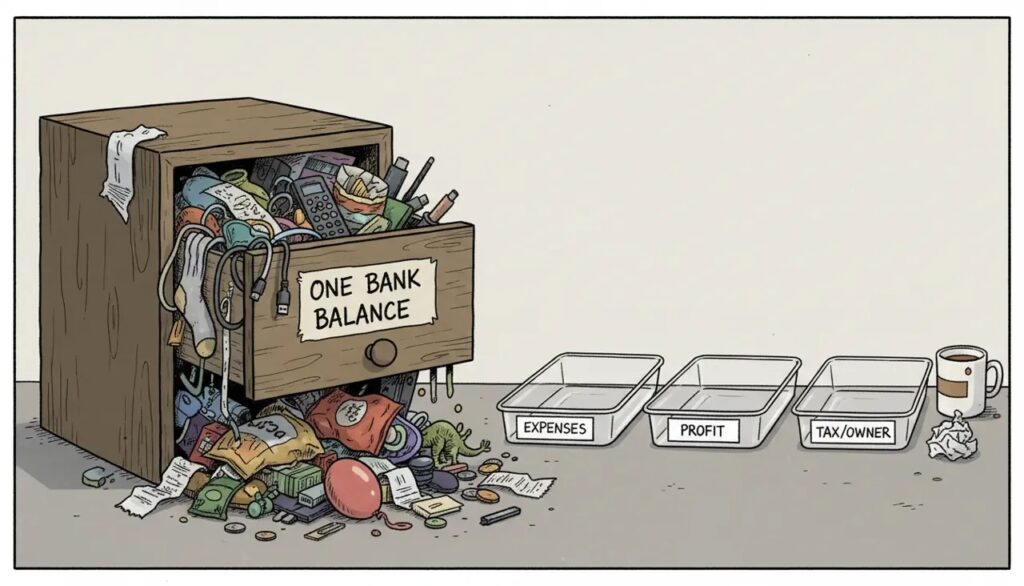
When the reconciliation screen fills with old, duplicated or unexplained items, the problem is usually not only the screen. It may point to missing records, weak processes or unclear responsibility.
A growing list of unreconciled transactions is usually a process warning, not merely an untidy screen.
What Is Xero Reconciliation?
Reconciliation is the process of matching the transactions imported from the bank with the accounting records in Xero.
This may involve matching customer receipts to invoices, supplier payments to bills, transfers between accounts, or recording transactions that have not yet been entered.
The purpose is to confirm that the activity recorded in Xero agrees with what actually happened in the bank.
Why Reconciliation Matters
Regular reconciliation helps make the accounting information more current and reliable.
It may also help identify:
- Missing customer receipts.
- Supplier payments that were not recorded correctly.
- Duplicate transactions.
- Unusual bank activity.
- Transfers recorded incorrectly.
- Incorrect account or GST treatment.
- Payments that do not match the expected amount.
When reconciliation is delayed, reports may not reflect the latest customer collections, supplier payments or cash movement.
Why The Reconciliation Screen Becomes Messy
A large number of unreconciled transactions may be caused by several different issues.
Common reasons include:
- Bank feeds that were disconnected or delayed.
- Invoices or bills entered after the payment occurred.
- Duplicate imports or manual entries.
- Payment-gateway settlements that do not match individual sales.
- Transfers recorded as income or expenses.
- Unclear transaction descriptions.
- Bank rules that match incorrectly.
- Transactions left unresolved because nobody knows how to treat them.
The longer these items remain unresolved, the harder it becomes to understand what happened and who should fix it.
What Should Be Checked Weekly?
Reconciliation is an operational process, so it should usually be reviewed more frequently than the owner’s monthly Money Day.
The person responsible for the accounts should check whether:
- Bank feeds are current.
- Unreconciled items are growing unexpectedly.
- Customer receipts are matching the correct invoices.
- Supplier payments are matching the correct bills.
- Transfers between bank accounts are recorded properly.
- Payment-gateway and POS settlements make sense.
- Unusual transactions have supporting information.
- The same manual correction is being repeated.
Repeated workarounds should be investigated. Forcing a transaction through simply to clear the screen may create a larger reporting problem later.
A cleared reconciliation screen is not useful if the transactions were matched or coded incorrectly.
What Owners Need To Know
The owner does not need to reconcile every transaction personally.
But the owner should know whether the process is current and whether unresolved items are affecting the reliability of the reports.
Useful questions to ask the finance team include:
- Are all important bank accounts reconciled up to date?
- Are there any old items that remain unexplained?
- Are customer receipts being matched promptly?
- Are there recurring errors that need a process fix?
- Can the current reports be relied on for decisions?
This gives the owner oversight without turning the owner into the bookkeeper.
How Reconciliation Affects Reports
Reconciliation affects the quality of several areas in Xero.
If payments are not matched correctly, receivables and payables may appear higher than they really are. Cash reports may also be incomplete or misleading.
Incorrect coding can cause costs to appear in the wrong category, which may make profit or expense trends harder to understand.
This is why reliable reports depend on more than producing a profit and loss statement. The transactions behind the report must also be handled properly.
Payment Gateways And POS Settlements
Businesses using payment gateways, POS systems or delivery platforms may face additional reconciliation work.
The amount received in the bank may be lower than the original sale because of commissions, transaction fees, refunds or other deductions.
Simply matching the net bank deposit to revenue may hide those costs or distort the sales figure.
The process should make it possible to record the gross sale, related deductions and final settlement consistently where appropriate.
When Bank Rules Help
Bank rules may reduce repetitive coding for predictable transactions, but they should not replace review.
A useful rule can speed up routine work. A broad or outdated rule may repeatedly send transactions to the wrong account.
When the same reconciliation problem appears several times, review whether a bank rule, account mapping or upstream process needs to change.
Use Monthly Money Day For Decisions
The weekly reconciliation process keeps the information current.
The monthly Money Day is when the owner uses that information to make broader Cash, Profit and Revenue decisions.
During Money Day, the owner may review whether:
- Cash movement matches business activity.
- Customer collections are becoming slower.
- A major cost has increased unexpectedly.
- Unresolved accounting issues are reducing confidence in the reports.
- One financial matter needs action during the next month.
The bookkeeping routine prepares the information. Money Day turns the information into a decision.
What Better Reconciliation Looks Like
Better reconciliation does not mean there will never be exceptions.
It means:
- Bank accounts are kept reasonably current.
- Old unexplained items do not continue building up.
- The team knows when to investigate instead of guessing.
- Recurring errors are fixed at the source.
- Reports are more reliable when decisions need to be made.
The goal is not perfection. It is a controlled process where problems are noticed and resolved before they affect important decisions.
Common Reconciliation Mistakes
- Matching transactions without reviewing the details.
- Creating new entries when the invoice or bill already exists.
- Ignoring duplicate transactions.
- Recording transfers as income or expenses.
- Using the wrong GST treatment.
- Leaving unexplained items for several months.
- Relying on broad bank rules without checking the results.
- Assuming a zero unreconciled balance means everything is correct.
Good reconciliation combines useful automation with human judgment.
Want More Reliable Financial Control Inside Xero?
Profit-Ready by CFOSg™ helps businesses organise more reliable Xero workflows so reconciliation and reporting support clearer monthly decisions.