The Monthly OPEX Cap That Stops Quiet Profit Leaks
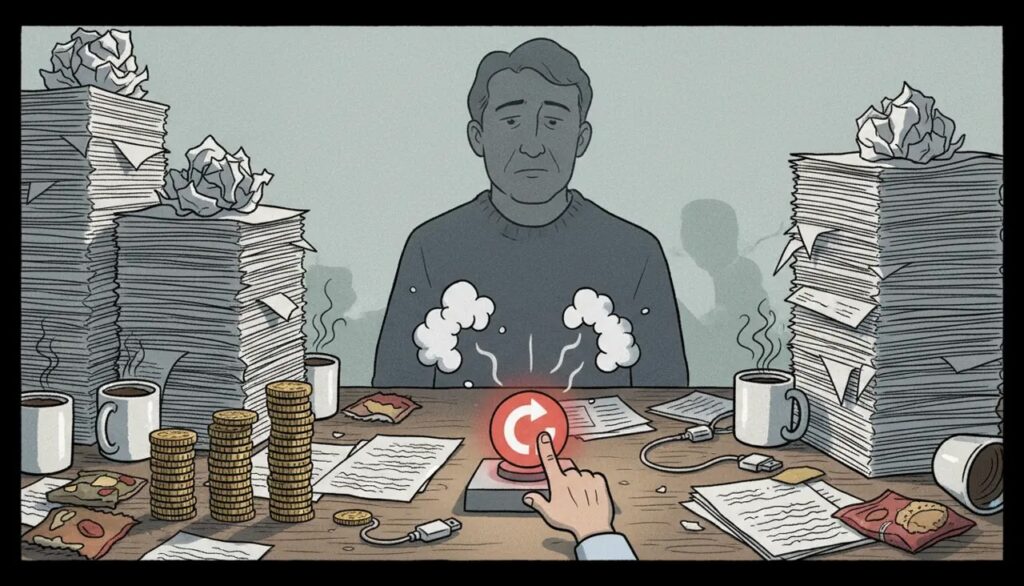
A monthly OPEX cap helps stop operating expenses from quietly consuming the money the business needs for profit, cash reserves and future commitments.
The idea is simple: spending should not increase merely because total revenue increased.
The business must first understand how much remains after the direct costs required to deliver that revenue.
Why Higher Revenue Does Not Always Feel Safer
Many owners expect the bank balance to improve when sales increase.
But part of every sale may already be needed for materials, subcontractors, fulfilment, commissions and other direct delivery costs.
The amount remaining after those requirements provides a more useful base for deciding how much the business can support in rent, permanent payroll, administration, software, marketing and other operating expenses.
CFOSg refers to this management view as Spendable Revenue.
The Quiet Overspend Pattern
A business owner was frustrated because revenue had improved, but the bank balance was still weakening.
There was no single reckless purchase.
Instead, spending had increased gradually through decisions that each appeared manageable:
- One additional employee.
- Another software subscription.
- A larger marketing commitment.
- More outsourced administrative support.
- Extra overtime and rush-delivery costs.
Each item could be justified on its own. The problem was that nobody was reviewing whether the combined monthly amount still fit the business’s current position.
Why Budgeting From Total Sales Creates Confusion
Owners often look at sales and assume a similar percentage can be spent on overhead.
But total sales may include a significant amount required to complete the work.
For example, consider a business producing $100,000 in monthly sales:
| Area | Amount | What It Means |
|---|---|---|
| Sales | $100,000 | Total revenue for the month |
| Direct delivery costs | ($40,000) | Materials, subcontractors and fulfilment |
| Amount remaining before overhead | $60,000 | Available to support operating expenses and profit |
| Operating expenses | ($52,000) | Rent, payroll, marketing, software and administration |
| Profit remaining | $8,000 | Amount left after recorded costs |
Operating expenses appear to be 52% of total sales.
But against the $60,000 remaining after direct delivery costs, those same operating expenses consume almost 87% of the available amount.
This leaves limited room for supplier increases, slower sales, repairs or another unexpected cost.
What A Monthly OPEX Cap Does
A monthly OPEX cap gives management a planned spending boundary based on the business’s current position.
It helps answer questions such as:
- How much overhead can the business currently support?
- Will a new recurring expense leave enough room for profit?
- Is spending increasing faster than the amount available?
- Does a planned investment need to wait?
- Must pricing, revenue quality or delivery efficiency improve first?
The cap should not be treated as one universal percentage for every business.
A suitable level depends on factors such as:
- The industry and business model.
- The amount of direct delivery cost.
- The level of permanent staffing required.
- The current profit position.
- Growth plans and available cash reserves.
- Debt and other financial commitments.
The $4,200 Monthly Leak
After reviewing the owner’s figures, the business found that operating expenses were running about $4,200 above the amount management intended to support each month.
The percentage difference did not initially look dramatic.
But $4,200 repeated over 12 months becomes $50,400.
This is why small recurring overspends matter. They do not always produce an immediate crisis. They gradually weaken cash and reduce the amount available for profit or reserves.
Why Owners Struggle To Stop Spending
Most owners do not overspend because they are careless.
They overspend because each decision has a reasonable explanation:
- “We need the employee to grow.”
- “The tool will save time.”
- “The marketing campaign should produce sales.”
- “It is only a small monthly amount.”
- “We can review it later.”
The problem is that several individually reasonable decisions can create an unreasonable total.
Without a monthly boundary, each cost is assessed in isolation rather than against the wider financial position.
Why The Cap Works
A spending boundary makes the trade-off visible.
Before approving a new expense, management must consider whether the business can support it without weakening the desired profit or cash position.
The decision may then be to:
- Proceed with the purchase.
- Reduce the scope.
- Delay the expense.
- Replace another cost.
- Renegotiate the price.
- Improve pricing or revenue first.
The cap does not automatically reject every new expense. It prevents each decision from being made as though the rest of the business does not exist.
Not Every Expense Above Plan Is Waste
A business may deliberately spend more during a growth period.
For example, management may invest in staff, technology, marketing or additional capacity.
That can be sensible when the business understands:
- Why the spending is required.
- What result it is expected to produce.
- How long the business can carry the cost.
- When the result should be reviewed.
- What will happen if the expected result does not appear.
Planned investment is different from recurring spending that continues without review.
What To Do When Spending Is Above The Cap
Review The Largest Movements First
Do not begin by cancelling every small item.
Review the expense categories that changed most significantly and determine whether the increase is temporary, recurring or incorrectly recorded.
Separate Useful Investment From Cost Creep
Some costs may support future capacity or revenue.
Others may have grown because of duplicated tools, weak processes, rework or decisions that were never reviewed.
Fix The Cause, Not Only The Expense
Repeated overtime, refunds, urgent deliveries or contractor costs may point to operational problems.
Reducing the expense without improving the process may only move the problem elsewhere.
Review Pricing And Revenue Quality
Sometimes the cost structure is reasonable, but the business is not earning enough from its current work.
The next step may involve reviewing pricing, discounts, customer fit or which services deserve more attention.
What Changed After The Review
Once the owner could see which expenses were placing the most pressure on the amount available, spending decisions became more deliberate.
Some recurring costs were removed. Others were renegotiated or delayed. Management also became clearer about which investments were important enough to keep.
Over the following months, the bank position became more stable because expenses were no longer growing unnoticed.
The improvement did not come from chasing every cost or working longer hours. It came from reviewing the total spending position before committing to more.
Use Monthly Money Day To Review The Cap
The monthly Money Day is a useful time to compare operating expenses with the amount currently available to support them.
Useful questions include:
- Which major operating expense increased?
- Was the increase planned?
- Did the spending produce the intended result?
- Is the amount remaining after direct costs becoming smaller?
- Is one new commitment weakening the desired profit position?
- What is the one spending decision that needs action next?
The purpose is not to control every small expense personally.
It is to stop recurring spending from growing without being noticed.
The Takeaway
Many businesses do not need another sales campaign as their first response to cash pressure.
They need to understand how much remains after direct delivery costs and whether current overhead fits inside that amount.
A monthly OPEX cap creates a decision boundary. It helps owners distinguish between spending the business can support and spending that depends on next month going perfectly.
Check your numbers: Use The CFOSg Calculators
Related: • CPR Compass™ • Profit-Ready by CFOSg™
Reference: Operating expense overview
Is Spending Growing Faster Than Profit?
CFOSg can help review whether your operating expenses, direct costs and Xero reports explain where the money is going.
Book A 15-Minute Call See Xero Services