Xero Advisory Singapore SME: When Reports Are Not Enough
“Our reports look fine, so we should be fine.”
That sentence has caused a lot of expensive surprises.
Xero is good at recording what happened.
But software cannot automatically stop an owner from repeating the same money mistake next month.
The Myth: We Have Xero, So Cash Should Be Under Control
That is like paying for a gym membership and expecting abs to appear out of respect.
The tool helps.
But the setup, information and routine around it still matter.
Here are the phrases I often hear before cash gets tight again:
- “Sales are strong, so cash should be okay.”
- “We will look at it at month-end.”
- “The business is profitable on paper.”
- “The bank balance looks fine.”
- “We will catch up after this busy period.”
None of these proves that the business is in trouble.
But none of them is a proper financial review either.
What Xero Advisory Actually Means
Bookkeeping records transactions.
Reporting organises the numbers.
Advisory helps the owner understand what those numbers mean for the next decision.
That may include questions such as:
- Why is cash tight when sales appear healthy?
- Which customers are paying slowly?
- Which costs have risen?
- Which work is keeping the team busy but leaving too little?
- Can the business support a new hire or recurring expense?
- What needs attention before the next major commitment?
Three Signs Your Xero Is Not Helping Enough Yet
Profit Exists Only In The Report
The profit and loss report looks acceptable, but cash is still tight and payments keep getting delayed.
The Bank App Makes The Decisions
Spending is approved because the balance looks comfortable, without checking upcoming commitments.
Reports Arrive Without An Answer
The numbers are produced, but nobody can explain what changed or what management should investigate.
The Same Problem Keeps Returning
Overdue invoices, cost increases or margin problems appear month after month with no clear owner or follow-up.
A Dashboard Is Not A Decision System
Dashboards look good.
They can make the business feel organised.
But a dashboard does not become useful just because it has colourful charts.
For each important number, the owner still needs to understand:
- What changed?
- Why did it change?
- Is it temporary or becoming a pattern?
- Does someone need to act?
- When will the result be reviewed?
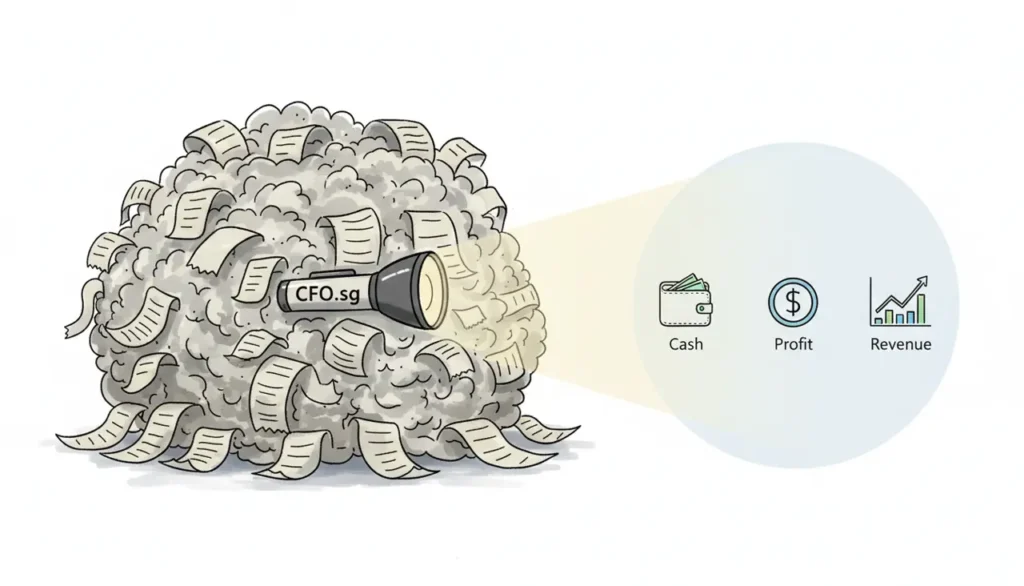
Use Cash, Profit And Revenue Together
CFOSg uses the CPR Compass™ to connect Cash, Profit and Revenue.
These are three different views of the same business.
Cash
Are customer collections and payment timing supporting upcoming commitments?
Profit
Are sales leaving enough after delivery costs and operating expenses?
Revenue
Are sales stable, collectable and coming from suitable customers, products or services?
Decision
Which issue is creating the pressure, and what needs to be investigated next?
CPR Compass is not a rigid sequence that every business must follow in exactly the same way.
A cash problem may come from slow collections, weak margins, rising costs or low sales.
The correct action depends on the cause.
What Profit-Ready Xero Should Help You See
A Profit-Ready Xero setup should make useful management information easier to find and trust.
Depending on the business, that may include:
- Customer invoices and overdue amounts.
- Supplier bills and upcoming payments.
- Bank balances and reconciled transactions.
- Profit and loss performance.
- Important balance-sheet movements.
- Revenue or cost by relevant business area.
- Changes requiring explanation.
It should not bury the owner under every number Xero can produce.
The goal is clarity—not report tourism.
Where Tracking Can Help
Total revenue and total expenses may not tell the full story.
A business may need to compare performance by:
- Outlet.
- Department.
- Service line.
- Project.
- Sales region.
- Other useful business areas.
Xero tracking categories can support this when they are set up and used consistently.
But more tracking is not always better.
If nobody will enter or review the information properly, the business has created more admin—not more clarity.
Operational Checks And Monthly Money Day
Not every financial issue should wait until month-end.
During the month, the team may need to:
- Issue invoices.
- Follow up overdue customers.
- Record supplier bills.
- Reconcile bank transactions.
- Investigate unusual items.
- Monitor urgent payment commitments.
The owner can then use monthly Money Day to review the wider picture.
Monthly Money Day Questions
- Did cash improve or weaken?
- Which invoices remain overdue?
- What major payments are approaching?
- Did profit move in line with revenue?
- Which cost changed significantly?
- Which customer, service or project affected the result?
- What needs management attention next?
Operational checks keep the information moving.
Money Day helps the owner stop staring at transactions and see the pattern.
What Xero Advisory Should Not Become
Advisory is not:
- A large report pack nobody reads.
- A complicated dashboard built to impress.
- A monthly meeting with no decision.
- A list of generic business advice.
- A fixed formula applied to every SME.
- An excuse to add more software.
It should make decisions clearer.
Otherwise, it is just more finance admin wearing a smarter shirt.
What Good Xero Advisory Looks Like
Reliable Information
The records are current enough for the owner to trust the main reports and balances.
Useful Explanation
Important changes are explained in plain language—not hidden inside accounting jargon.
Business Context
The numbers are connected to customers, pricing, delivery, staffing and upcoming plans.
Clear Attention Point
The owner knows which issue deserves investigation instead of trying to fix everything at once.
Follow-Up
Important actions have an owner and are reviewed later to see whether anything improved.
Common Questions About Xero Advisory
Is Xero advisory the same as bookkeeping?
Do I need more reports?
Can Xero tell me whether I can afford to hire?
Can my team manage the financial routine?
Does every SME need the same Xero setup?
What makes Xero Profit-Ready?
The Xero Advisory Singapore SME Takeaway
Xero is not a magic wand.
It is also not just an expensive filing cabinet.
Used properly, it can help an SME see:
- What customers still owe.
- What bills are approaching.
- Whether sales are leaving enough profit.
- Which areas are helping or hurting performance.
- What changed.
- What deserves attention next.
Related: Profit-Ready Xero • CPR Compass™ • Financial Management For SMEs • Monthly Money Day
Does Your Xero Tell You What Needs Attention?
CFOSg can help organise your Xero records and management review so the numbers support clearer Cash, Profit and Revenue decisions.
Book A 15-Minute Call See Xero Services