
How To Make Your Xero Setup More Profit-Ready
Profit-ready Xero means using your accounting setup to support clearer business decisions instead of only recording what happened in the past.
Many businesses already have Xero, bank feeds, invoices and reports. Yet the owner may still feel unsure about cash, profitability and what needs attention next.
This usually does not mean the software is failing. It means the setup, workflows or review process are not yet helping the owner interpret the business clearly enough.
1. Profit-Ready Xero Starts With Reliable Records
A useful decision system needs reasonably current and reliable information.
If bank feeds are delayed, reconciliation is behind or important invoices and bills are missing, the reports may not reflect the actual position of the business.
The first step is therefore not adding more dashboards. It is confirming that the financial records are being maintained consistently.
This includes areas such as:
- Current bank feeds.
- Regular reconciliation.
- Customer invoices raised promptly.
- Supplier bills entered consistently.
- Unusual transactions investigated.
- Clear responsibility for the finance workflow.
A polished report cannot compensate for incomplete information underneath it.
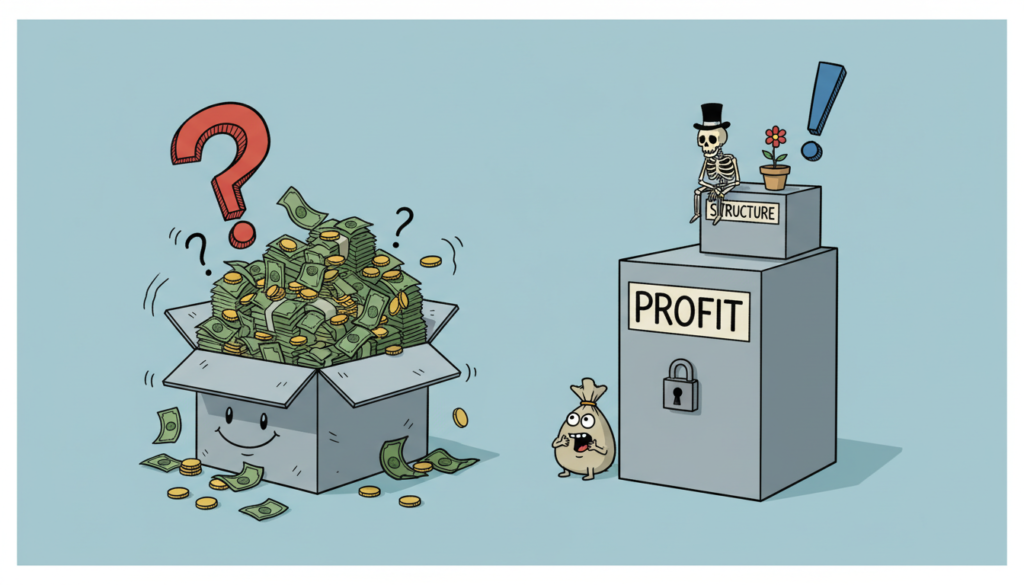
2. The Account Structure Should Match The Business
A profit-ready Xero setup should reflect how the business actually earns and spends money.
A generic chart of accounts may be enough to start bookkeeping, but it may become less useful as the business adds services, locations, sales channels or new types of costs.
Common problems include:
- Several accounts being used for similar expenses.
- Revenue streams grouped too broadly.
- Old accounts that no longer serve a purpose.
- Important costs hidden inside vague categories.
- Different team members coding similar items differently.
The answer is not always to create more accounts. The aim is to create enough useful distinction without making the reports harder to read.
3. Workflows Should Reduce Repeated Errors
A good setup depends on more than account codes. It also depends on how work moves through the system.
If invoicing, bill entry, reconciliation and reporting all depend on someone remembering what to do, the process can become inconsistent.
A stronger workflow should make responsibility clearer:
- Who raises customer invoices?
- Who enters and reviews supplier bills?
- Who monitors bank-feed issues?
- Who handles reconciliation exceptions?
- When are reports considered ready for review?
- Which issues should be escalated rather than guessed?
Good structure reduces the number of corrections needed later and makes the financial information easier to rely on.
4. Reports Should Answer Useful Questions
Many businesses have access to a profit and loss statement, balance sheet, receivables report and bank reports. But having reports is not the same as having answers.
A more useful Xero setup should help the owner understand questions such as:
- Is cash becoming stronger or weaker?
- Is profit improving as sales change?
- Which major costs are increasing?
- Are customers taking longer to pay?
- Is one service or sales channel performing differently?
- Can the business support its upcoming commitments?
Reports should reduce hesitation. They should not create more numbers for the owner to stare at without knowing what matters.
5. Use Monthly Money Day To Review Cash, Profit And Revenue
Profit-ready Xero works best when the owner has a regular decision routine.
Operational work such as invoicing, bill entry and reconciliation can happen throughout the month. The wider business review can then happen during a monthly Money Day.
During Money Day, the owner reviews the overall position and identifies what deserves attention next.
The CPR Compass™ helps separate the review into Cash, Profit and Revenue so every issue is not treated as one large financial blur.
Useful Money Day questions may include:
- Are the records current enough to rely on?
- What changed since the previous review?
- Which financial area is under the most pressure?
- Is one cost, collection or revenue issue becoming more important?
- What practical action should happen next?
The aim is not to solve every financial issue in one sitting. It is to identify the most important matter and make one clear decision.
6. Better Visibility Should Make Xero Simpler
Better financial visibility does not require a crowded dashboard or a long list of ratios.
In fact, too much information can make decision-making harder when the owner does not know which figures matter.
A more profit-ready Xero setup should make it easier to:
- See important movements quickly.
- Investigate unusual changes.
- Understand which issue needs attention.
- Avoid reviewing reports that do not support a real decision.
- Keep the owner focused on the business rather than software administration.
The purpose is clarity, not complexity.
7. The Setup Should Evolve With The Business
A Xero setup that worked when the business was small may become less useful as the business grows.
The company may add:
- New products or services.
- More employees.
- Additional locations.
- New payment platforms.
- Inventory or POS systems.
- More complex customer and supplier arrangements.
- Different reporting needs.
If Xero remains structured around the earlier version of the business, the owner may find that the reports no longer explain enough.
This does not always require rebuilding everything. A focused review may be enough to update the structure, workflows and reporting approach.
Signs Your Xero Is Not Yet Profit-Ready
The setup may need attention if:
- The owner keeps second-guessing the reports.
- Cash feels tight even when sales appear healthy.
- Reconciliation is regularly behind.
- Reports change significantly after late entries are added.
- The business cannot explain major cost movements.
- Similar transactions are coded inconsistently.
- Too many finance tasks depend on one person’s memory.
- The reports exist but do not lead to action.
One issue may be easy to correct. Several recurring issues usually suggest that the setup and workflow need a wider review.
What Profit-Ready Xero Should Lead To
The goal is not software admiration. It is better business control.
A stronger setup should help the owner:
- Use more reliable financial information.
- Understand the business faster.
- Notice pressure before it becomes a larger problem.
- Make clearer Cash, Profit and Revenue decisions.
- Reduce repeated corrections and avoidable confusion.
- Turn reports into practical next steps.
Profit-ready Xero is therefore not a separate accounting software product. It is a more practical way of setting up and using Xero around the decisions the business needs to make.
For more help with setup, workflows and reporting, read about Xero support in Singapore.
For the full CFOSg approach, see Profit-Ready by CFOSg™.
Want To Make Your Xero More Useful For Business Decisions?
CFOSg can review whether your Xero structure, workflows and reports support the Cash, Profit and Revenue decisions your business needs to make.
Book A 15-Minute Call See Xero Services